Redraw an old floor plan into a clean, editable one
Old floor plans are everywhere: faded prints, phone photos of a brochure, hand sketches with measurements in the margin. Redrawing them is one of the most common floor plan jobs, and usually one of the most tedious. Floorshape is built to make the redraw fast and to make the result a plan you can keep editing.
Floorshape is in early access. The free tools work today; the editor features described here are what we are building with our first users.
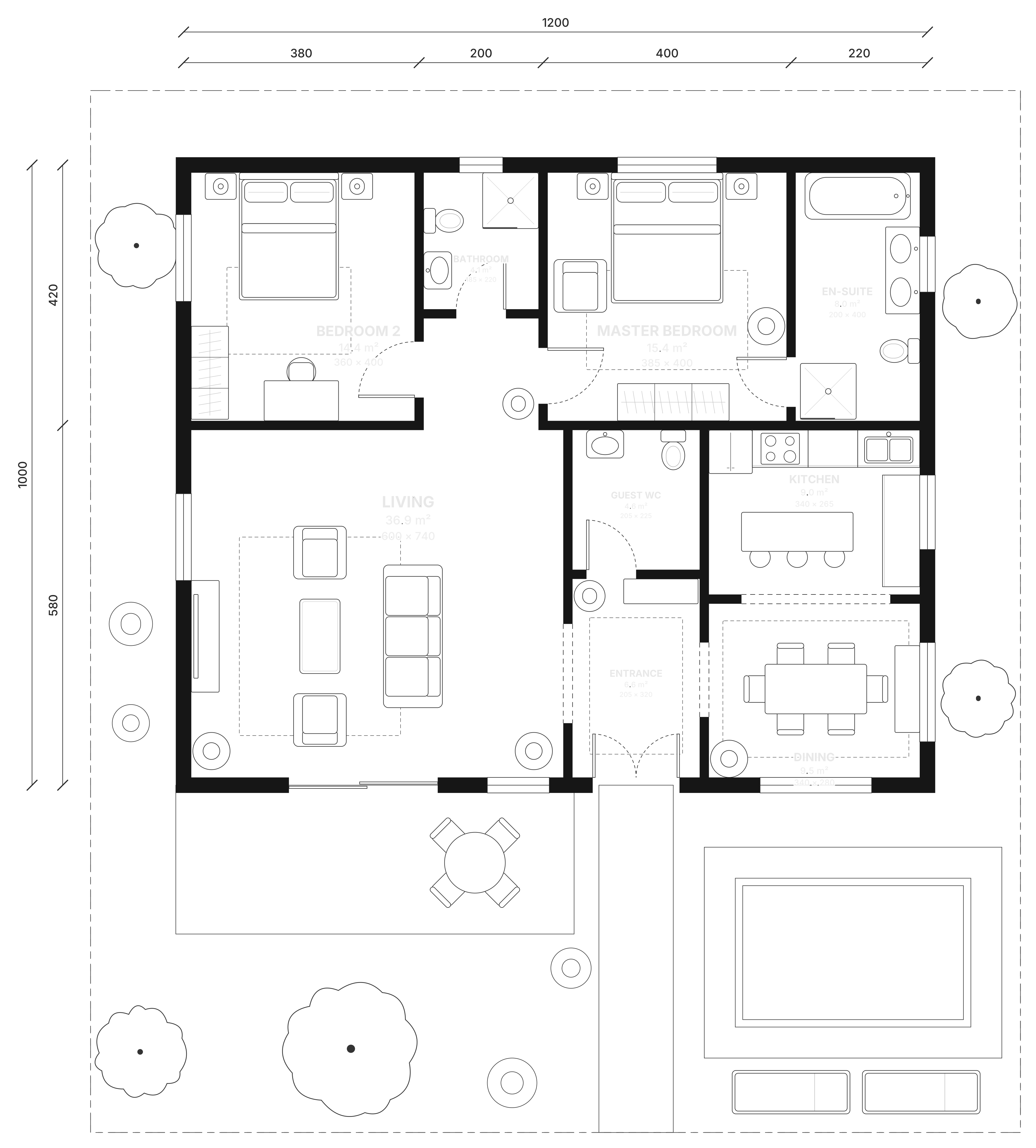
What a redraw involves
A redraw has three parts: trace the walls, doors and windows; set the true scale; then add labels, dimensions and areas. The first part is slow by hand, the second is where most errors creep in, and the third depends on the first two being right.
Outsourced redraws solve the time problem but return a flat image. When something needs to change, such as a wall that was removed during a renovation, the plan goes back to the queue.
Redrawing in Floorshape
Floorshape is built to do most of the tracing for you. Upload the old plan and the detector finds walls, doors and windows, while a vision model reads room names and printed dimensions. You review the result on top of the original image at half opacity, with uncertain walls highlighted.
If the detector struggles, for example with a heavily stylised marketing plan, you can trace manually with the same tools you use for drawing: walls that snap together, typed lengths and doors that snap into walls.
- Scale from printed dimensions, or from one length you know.
- Rooms, areas and dimension chains generated from the walls.
- Technical and colored versions without extra work.
After the redraw
A redrawn plan in Floorshape is a living document. Update it after a renovation, try a new layout by asking, switch between metric and feet-and-inches or export DXF for an architect. The original image stays attached for reference. Floorshape is in early access, with image import following the core editor.
When to redraw and when to re-measure
A redraw copies what an existing plan says. That is fine when the plan is reliable and the home has not changed. Re-measure instead when walls have moved in a renovation, when the plan's dimension chains do not add up, when two plans of the same home disagree, or when the area will be used in a sale or valuation that requires a specific measurement standard.
A practical middle ground is to redraw from the old plan and then check a handful of key dimensions on site, such as the overall length and width and the largest rooms. In Floorshape, changing a wall to match a new measurement updates the rooms and areas around it, so corrections take seconds rather than a redraw.
Keep the original image with the redrawn plan. It documents where the geometry came from, helps resolve disagreements later and is useful evidence if a measurement is ever questioned. Floorshape stores the source image alongside the plan for exactly this reason.
Frequently asked questions
How do I redraw an old floor plan?
Trace the walls, doors and windows over the original, set the scale from a known dimension, then add labels and areas. Floorshape is built to detect most of the walls automatically and leave you to review them.
Can I redraw a floor plan from a photo?
Yes, as long as the photo is reasonably straight and readable. Floorshape deskews and cleans the image before detecting walls.
How accurate is a redrawn floor plan?
As accurate as its scale reference. Floorshape calibrates from printed dimensions and aims for walls within ±1% of those dimensions.
How much does a floor plan redraw cost?
Redraw services commonly charge per plan. In Floorshape, manual editing, drawing and exports never use AI credits, and the product is free during early access.
Related
Turn a floor plan image into an editable plan
Upload a photo, scan or PDF of a floor plan and get editable walls, doors, windows and rooms, with a review step for anything the detector is unsure about.
Convert a floor plan to DXF with clean CAD layers
Get a floor plan into DXF with clean layers for walls, doors, windows, furniture and labels, from a drawing, an image or a PDF. Opens in AutoCAD and BricsCAD.
Floor plan scale, explained
What floor plan scales mean, which ones are common in metric and imperial plans, how to measure from a printed plan and why printing can change the scale.
Real estate floor plans that help listings sell
Listing-ready real estate floor plans: what buyers look for, what to include, and how Floorshape turns an existing plan into a colored listing plan.
Floor plans at volume, on brand.
Produce floor plans for many clients: shared brand themes, real-time collaboration, roles, and an API and MCP server for batch jobs.
Stop sending plans away to be redrawn.
Join early access and redraw plans yourself in minutes.
Invites go out in waves. Tell us who you are and we'll prioritise the workflows we can help with first.